

Are you gearing up for the latest PlayStation or Xbox and wondering if your current HDMI cable will cut it? With next-gen gaming consoles promising stunning visuals and lightning-fast performance, the question on every gamer’s mind is: Do you really need an HDMI 2.1 cable to unlock their full potential?
Choosing the right cable might sound simple, but it can make a huge difference in your gaming experience—from smoother gameplay to richer colors and better sound. Stick with us, and we’ll break down exactly why HDMI 2. 1 matters, when it’s worth the upgrade, and how to pick the perfect cable for your setup.
Don’t miss out on getting the most from your investment!
Hdmi 2.1 Features
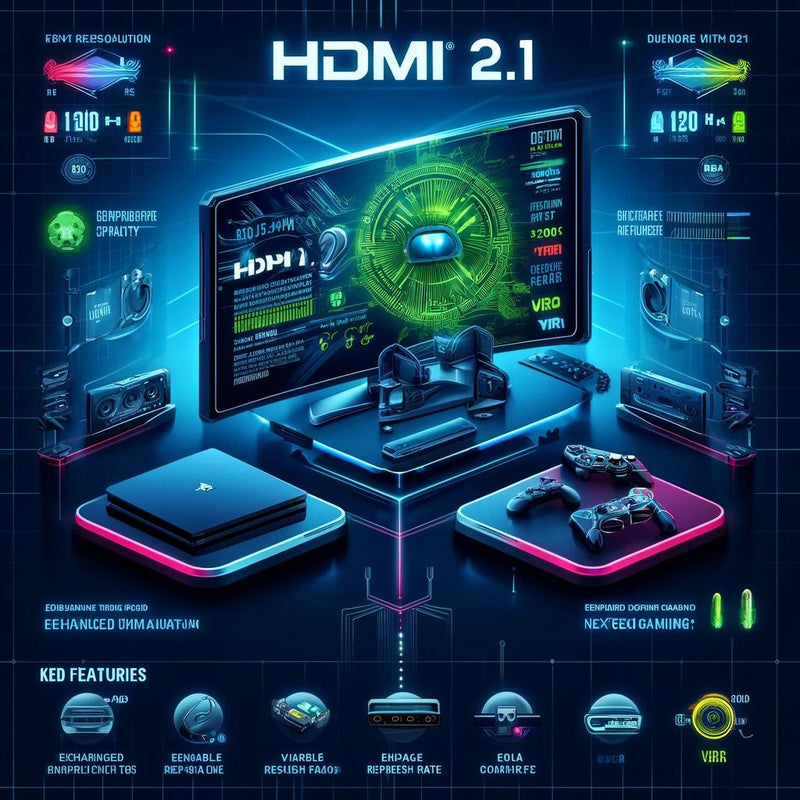
HDMI 2.1 brings several important features for next-gen gaming consoles. These features improve picture quality, reduce lag, and enhance sound. They make gaming smoother and more immersive. Understanding these features helps decide if you need an HDMI 2.1 cable.
Each feature offers a unique benefit that older HDMI versions do not support. These improvements match the capabilities of new consoles like PlayStation 5 and Xbox Series X. Let’s explore the key features of HDMI 2.1.
Higher Bandwidth Explained
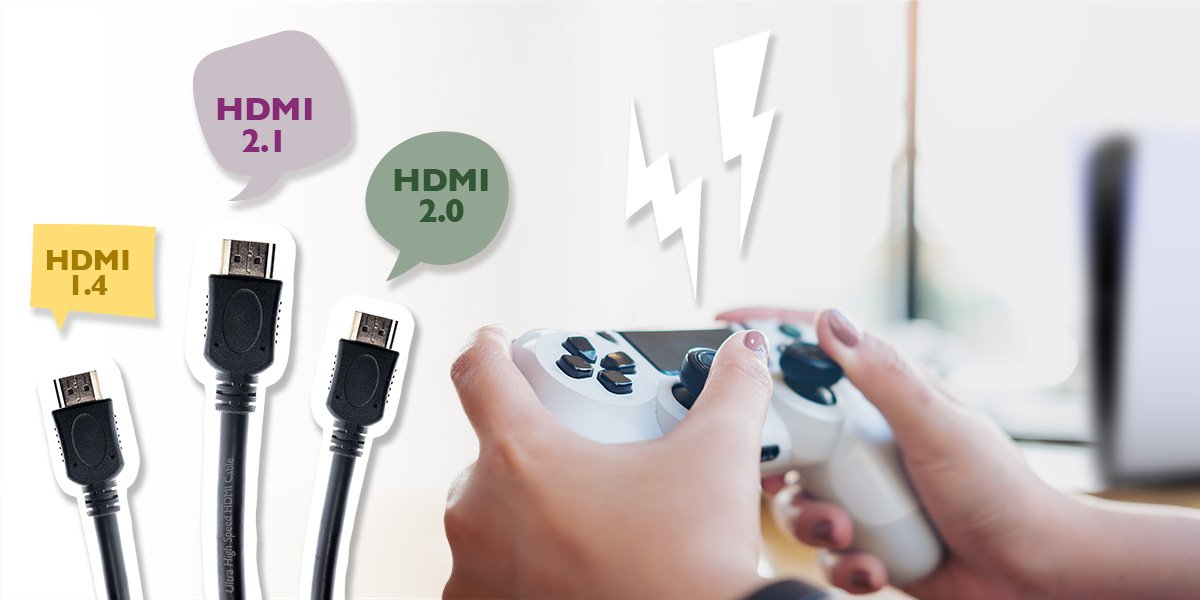
HDMI 2.1 supports bandwidth up to 48Gbps. This is much higher than HDMI 2.0’s 18Gbps. Higher bandwidth allows for better video quality. It supports 4K at 120Hz and 8K at 60Hz resolutions. This means clearer images and smoother motion in games. Without this bandwidth, new consoles cannot show their full potential.
Variable Refresh Rate
Variable Refresh Rate (VRR) syncs the console and TV refresh rates. This reduces screen tearing and stuttering. Games look smoother and feel more responsive. VRR is especially helpful in fast-paced action games. It creates a better visual experience without lag or artifacts.
Auto Low Latency Mode
Auto Low Latency Mode (ALLM) switches the TV to game mode automatically. It lowers input lag to improve reaction time. This means quicker responses during gameplay. You don’t need to change settings manually. ALLM makes gaming easier and more enjoyable.
Enhanced Audio Return Channel
Enhanced Audio Return Channel (eARC) improves audio quality. It supports high-bitrate audio formats like Dolby Atmos and DTS:X. eARC sends audio from the TV back to soundbars or receivers. This creates rich, immersive sound without extra cables. It helps create a home theater experience for gaming.
Next-gen Console Requirements
Next-gen gaming consoles offer stunning visuals and smooth gameplay. To fully enjoy these features, your setup must meet specific requirements. One key component is the HDMI cable. It connects your console to your TV or monitor and carries video and audio signals.
New consoles support HDMI 2.1, the latest standard. This standard handles higher resolutions and faster refresh rates. Using the right HDMI cable ensures you get the best possible performance.
Playstation 5 Hdmi Specs
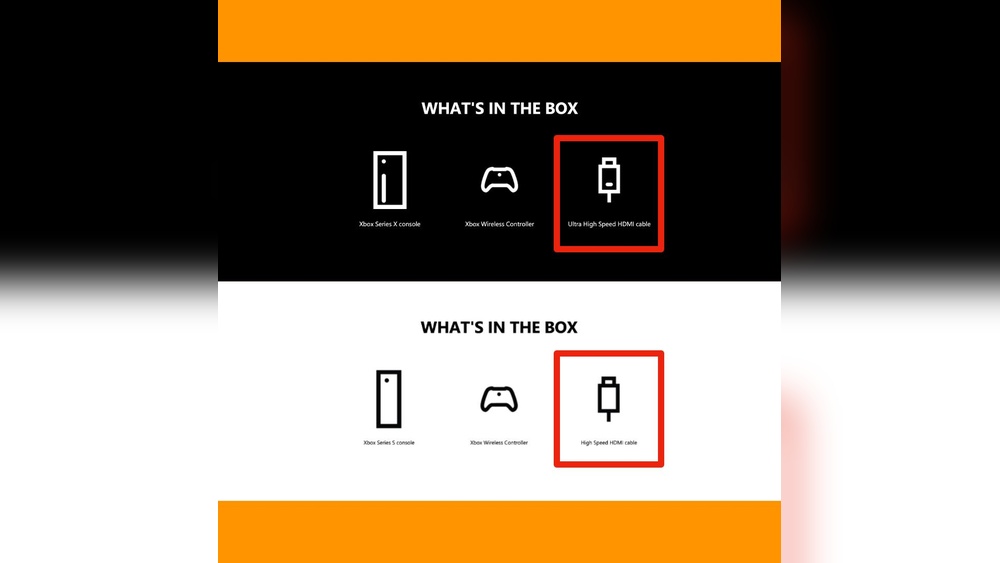
The PlayStation 5 supports HDMI 2.1 output. It can deliver up to 4K resolution at 120Hz refresh rate. The console also supports HDR for better color and contrast. To access these features, a high-speed HDMI 2.1 cable is recommended. The included cable in the box meets these specs, but upgrading can help with longer cable runs or better quality.
Xbox Series X Hdmi Specs
Xbox Series X also uses HDMI 2.1 technology. It outputs 4K resolution at up to 120Hz. Variable Refresh Rate (VRR) and Auto Low Latency Mode (ALLM) are supported through HDMI 2.1. These features reduce screen tearing and input lag. The console includes a compatible HDMI 2.1 cable. Using this cable or another certified Ultra High Speed HDMI cable is best for optimal performance.
Benefits For Gaming Experience
HDMI 2.1 cables allow higher frame rates and resolutions. Games appear smoother and sharper on compatible displays. VRR reduces screen tearing, making gameplay more fluid. ALLM lowers input lag, improving responsiveness. HDR support enhances colors and brightness. These benefits create a more immersive and enjoyable gaming experience. Without an HDMI 2.1 cable, some features may be limited or unavailable.
Cable Types Compared
Choosing the right HDMI cable can impact your next-gen gaming experience. Different cable types support different features and speeds. This guide compares common HDMI cable types to help you decide what fits your gaming setup best.
Ultra High Speed Hdmi Cables
Ultra High Speed HDMI cables support bandwidth up to 48 Gbps. They handle 4K at 120Hz and 8K at 60Hz smoothly. These cables also support advanced features like eARC and Variable Refresh Rate (VRR). Certified Ultra High Speed cables ensure stable, high-quality signals for new gaming consoles.
Premium High Speed Hdmi Cables
Premium High Speed HDMI cables support bandwidth up to 18 Gbps. They work well with 4K at 60Hz and HDR content. These cables support some features like HDR10 but may not handle 4K at 120Hz or 8K resolutions. Good for older 4K TVs but limited for next-gen console features.
Standard Hdmi Cables
Standard HDMI cables support bandwidth up to 10.2 Gbps. They are suitable for 1080p and 720p video resolutions. These cables do not support 4K or HDR content properly. Best used for basic setups or older devices without high-resolution demands.
Certification And Labels
Certification and labels on HDMI 2.1 cables ensure the cable meets specific standards. These standards affect how well the cable supports next-gen gaming features. Knowing about certification helps you pick the right cable for your gaming console.
Certified cables guarantee support for higher bandwidth, 4K at 120Hz, 8K video, and features like eARC. This makes your gaming experience smooth and visually impressive. Let’s explore what certification means and how to find certified cables.
What Certification Means
Certification means the cable passed strict tests by HDMI Licensing Administrator. These tests check if the cable can handle Ultra High Speed signals. Only certified cables support all HDMI 2.1 features without problems. Using uncertified cables may cause lag or lower image quality. Certified cables offer peace of mind for gamers wanting the best performance.
How To Identify Certified Cables
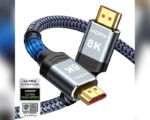
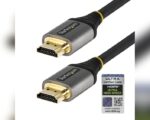
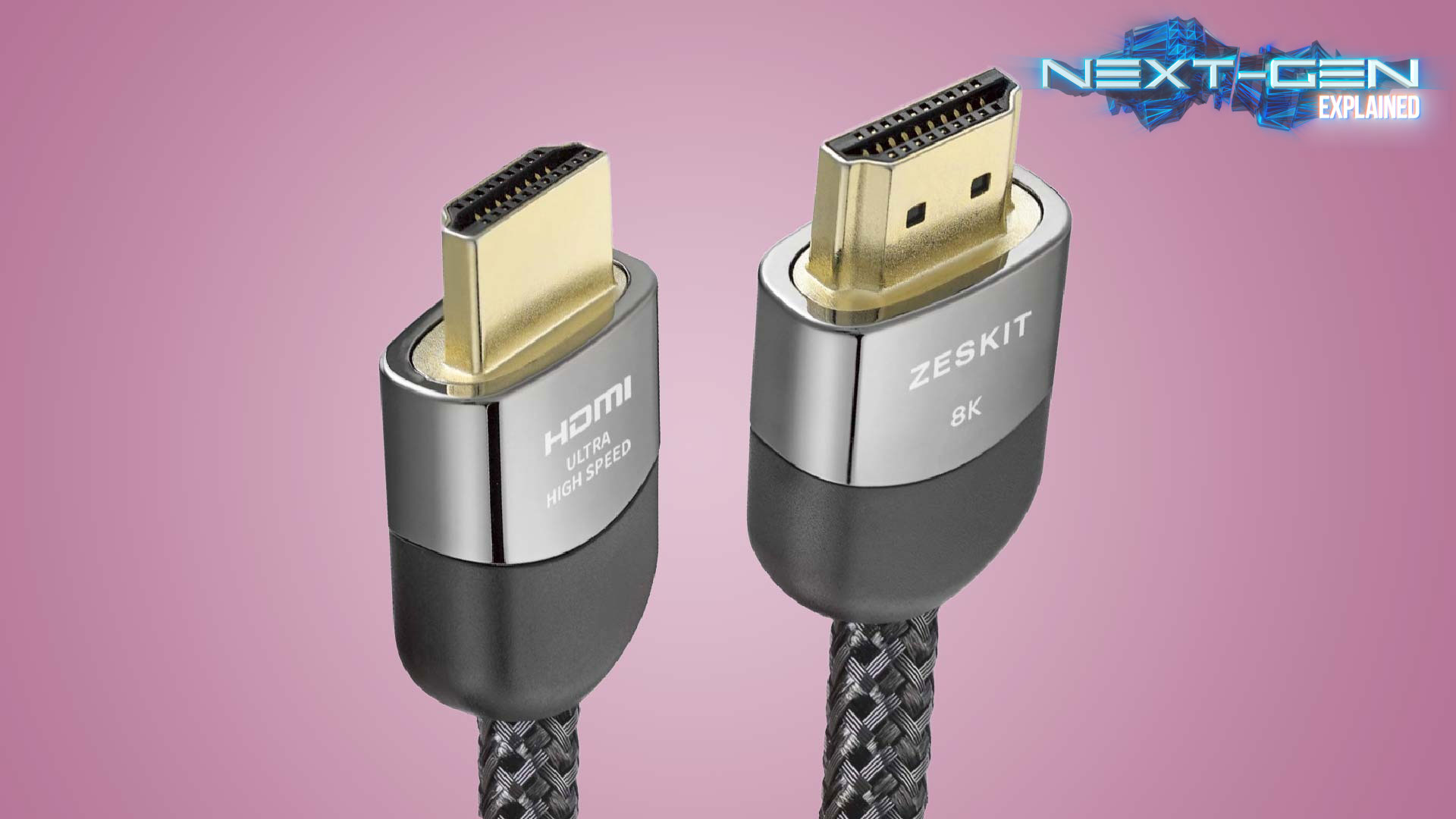
Look for the “Ultra High Speed HDMI Cable” label on the packaging. This label proves the cable meets HDMI 2.1 standards. Some cables also show a holographic certification sticker. Check product descriptions for “certified” or “Ultra High Speed” terms. Avoid cables just labeled as “High Speed” or “Premium” without certification. Certified cables often have a bandwidth rating of 48 Gbps printed on them. These details help you pick a cable that works perfectly with next-gen consoles.
Choosing The Right Cable
Choosing the right HDMI 2.1 cable is important for the best gaming experience. The cable connects your console to the TV or monitor. A good cable ensures clear visuals and smooth gameplay. Not all cables perform the same. Some might limit your console’s potential. Understanding cable length, build quality, and price helps you pick the best option.
Cable Length Considerations
Choose a cable length that fits your setup. Too short means limited placement of your console. Too long can cause signal loss or clutter. For most gamers, 6 to 10 feet is enough. Longer cables need better shielding to maintain signal quality. Avoid very long cables unless necessary. Check if the cable supports Ultra High Speed HDMI standards for best results.
Build Quality And Durability
Look for cables with strong connectors and thick insulation. This prevents damage from bending or pulling. Gold-plated connectors resist corrosion for longer life. A well-built cable lasts through many gaming sessions. Cheap cables might fail quickly or cause flickering. Make sure the cable is certified Ultra High Speed HDMI. This guarantees it meets HDMI 2.1 specs.
Price Vs Performance
Expensive cables do not always mean better gaming. Many mid-range cables offer excellent performance. Focus on certification and build rather than brand or price. Ultra High Speed HDMI certification is the key feature to check. Avoid very cheap cables that lack certification. Investing in a reliable cable saves frustration and improves your gaming experience.
Credit: www.benq.eu
Common Hdmi Issues
HDMI cables connect your gaming console to your TV or monitor. Even a small issue can ruin your gaming experience. Many gamers face common HDMI problems that affect picture and sound quality. Understanding these issues helps you choose the right cable and fix problems fast.
Screen Tearing And Flickering
Screen tearing happens when the image splits during fast motion. Flickering causes the screen to blink or flash unexpectedly. Both issues often occur if the cable cannot handle the console’s output. Using an older or low-quality HDMI cable may cause these problems.
HDMI 2.1 cables support higher data speeds. This reduces tearing and flickering on next-gen consoles. A stable connection ensures smooth gameplay and clear visuals.
Compatibility Problems
Not all HDMI cables work with every device. Some cables lack support for features like 4K resolution or high refresh rates. Older cables might not match the needs of new consoles. This leads to lower picture quality or no signal at all.
Choosing a cable certified for Ultra High Speed HDMI standards prevents compatibility issues. Check your console and TV specifications to match the cable capabilities.
Troubleshooting Tips
Start by checking the cable connection on both devices. Loose plugs cause signal loss. Try a different HDMI port on your TV or monitor. Restart your console and display to reset the connection.
Test with another HDMI cable to rule out a faulty wire. Keep cables away from power cords to avoid interference. Update your console and TV firmware for better compatibility. These simple steps often solve HDMI-related problems quickly.
Tv Compatibility
TV compatibility plays a key role in deciding if you need an HDMI 2.1 cable for your gaming console. The cable alone cannot deliver better graphics or smoother gameplay. Your TV must support HDMI 2.1 features to enjoy the full benefits. Many newer TVs offer some level of HDMI 2.1 support, but not all ports on the TV may support it fully. Understanding your TV’s capabilities helps you make the right choice for your setup.
Hdmi 2.1 Support In Tvs
Not all TVs with HDMI ports support the full HDMI 2.1 standard. Look for TVs that list HDMI 2.1 in their specifications. These models allow higher bandwidth for 4K at 120Hz or 8K at 60Hz signals. Some TVs have only a few HDMI 2.1 ports, while others might have just one. Without HDMI 2.1 support, your TV may limit the resolution or refresh rate, even with a compatible cable.
Hdr And Refresh Rate Impact
HDMI 2.1 improves HDR quality by supporting dynamic metadata. This means better contrast and color on compatible TVs. It also allows higher refresh rates like 120Hz at 4K resolution. Higher refresh rates make fast action smoother and reduce motion blur in games. If your TV does not support these features, an HDMI 2.1 cable may not improve your gaming experience much.
Best Ports To Use
Use the HDMI ports labeled as HDMI 2.1 or Ultra High Speed on your TV. These ports handle the extra data needed for high frame rates and resolutions. Avoid older HDMI ports that only support HDMI 2.0 or lower. Connecting your console to the right port ensures you get the best picture and performance. Check your TV manual to find which ports are best for gaming consoles.
Credit: brightlinkav.com
Audio Enhancements
Audio enhancements play a crucial role in the gaming experience. Clear, rich sound adds depth to gameplay and immersion. Next-gen consoles support advanced audio features that require proper cables. HDMI 2.1 cables help deliver improved audio signals to compatible devices.
Role Of Earc
eARC stands for Enhanced Audio Return Channel. It lets audio travel from your TV back to an audio system. This means you can use one cable for both video and high-quality sound. eARC supports higher data rates for better sound quality. It allows consoles to send lossless audio formats to your soundbar or receiver.
Improving Sound Quality
HDMI 2.1 cables enable better sound quality for games and movies. They can carry high-bandwidth audio signals without loss. This means you hear every detail, from footsteps to explosions. The clearer sound helps gamers react faster and enjoy a more realistic experience. Poor cables may cause sound dropouts or lower quality.
Supported Audio Formats
With HDMI 2.1 and eARC, many audio formats are supported. These include Dolby Atmos and DTS:X, which offer 3D spatial sound. Lossless formats like Dolby TrueHD and DTS-HD Master Audio are also supported. These formats create immersive soundscapes in games. Using the right cable ensures you get the full audio benefit.
Do Expensive Cables Matter?
Many gamers wonder if spending more on an HDMI 2.1 cable really improves their gaming experience. With next-gen consoles supporting higher resolutions and faster refresh rates, the question arises: do expensive cables make a difference? The truth is more straightforward than you might think. Understanding what you get for the price can help you decide wisely.
Price Vs Performance Debate
Higher-priced HDMI cables often promise better quality and durability. Yet, all certified Ultra High Speed HDMI cables deliver the same core performance. They support 4K at 120Hz and 8K at 60Hz, essential for next-gen gaming. Paying extra usually buys better build materials or longer lengths, not faster speeds or clearer images.
When To Invest More
Choose a pricier cable if you need a longer length or extra shielding against interference. Longer cables may degrade the signal if not well-made. Also, if your setup requires features like eARC for advanced audio, ensure the cable is certified. Otherwise, a standard certified cable is enough for most gamers.
Common Misconceptions
Expensive cables do not boost frame rates or improve graphics quality. The console and TV handle image quality, not the cable. Some think gold-plated connectors or thick cables are necessary, but they rarely affect performance. Certification is the key factor, not price or flashy designs.
Final Recommendations
Choosing the right HDMI cable for your next-gen gaming console affects your gaming experience. The final decision depends on your console, TV, and gaming needs. This section offers clear advice on when to pick HDMI 2.1 cables and what else you can consider.
When Hdmi 2.1 Is Necessary
HDMI 2.1 supports higher resolutions and faster refresh rates up to 4K at 120Hz and 8K at 60Hz. It is necessary if your TV or monitor supports these features. Also, use HDMI 2.1 for gaming features like Variable Refresh Rate (VRR) and Auto Low Latency Mode (ALLM). If you want the best visuals and smooth gameplay on a compatible display, HDMI 2.1 is the right choice.
Alternatives To Consider
Many gaming setups still work well with HDMI 2.0 cables. These cables handle 4K at 60Hz without issues. If your TV or monitor does not support HDMI 2.1, a high-quality HDMI 2.0 cable is enough. These cables cost less and are widely available. Check your console’s box or manual to see what cable it includes before buying another.
Future-proofing Your Setup
Buying an Ultra High Speed HDMI 2.1 cable helps prepare for future tech upgrades. New games and TVs will increasingly use HDMI 2.1 features. Investing in a certified cable means you won’t need to upgrade soon. Choose a cable with certification labels to ensure quality and performance. This saves time and money in the long run.
Credit: www.gamesradar.com
Frequently Asked Questions
Is Hdmi 2.1 Needed For Gaming?
HDMI 2. 1 supports higher resolutions, frame rates, and features like VRR, enhancing gaming performance on compatible devices.
Is A Hdmi 2.1 Cable Needed?
An HDMI 2. 1 cable is needed for features like 4K at 120Hz, 8K video, and eARC support. It ensures optimal performance.
What Happens If I Use Hdmi 2.0 With Ps5?
Using HDMI 2. 0 with PS5 limits output to 4K at 60Hz, disabling 120Hz and some HDR features. For full performance, use HDMI 2. 1.
Do You Need Hdmi 2.1 For 120hz?
You don’t always need HDMI 2. 1 for 120Hz. HDMI 2. 0 supports 120Hz at 1080p and some 1440p resolutions. For 4K at 120Hz, HDMI 2. 1 or a certified Ultra High Speed HDMI cable is required. Check your device’s specs for compatibility.
Conclusion
Choosing the right HDMI cable matters for next-gen gaming. An Ultra High Speed HDMI 2. 1 cable supports higher resolutions and refresh rates. This means smoother gameplay and better visuals. Older cables might limit your console’s full potential. Still, if your TV doesn’t support HDMI 2.
1, benefits may be less noticeable. Investing in a certified cable ensures reliability and future-proofing. In short, an HDMI 2. 1 cable is a smart choice for serious gamers. It helps you enjoy new games as they were meant to be played.