


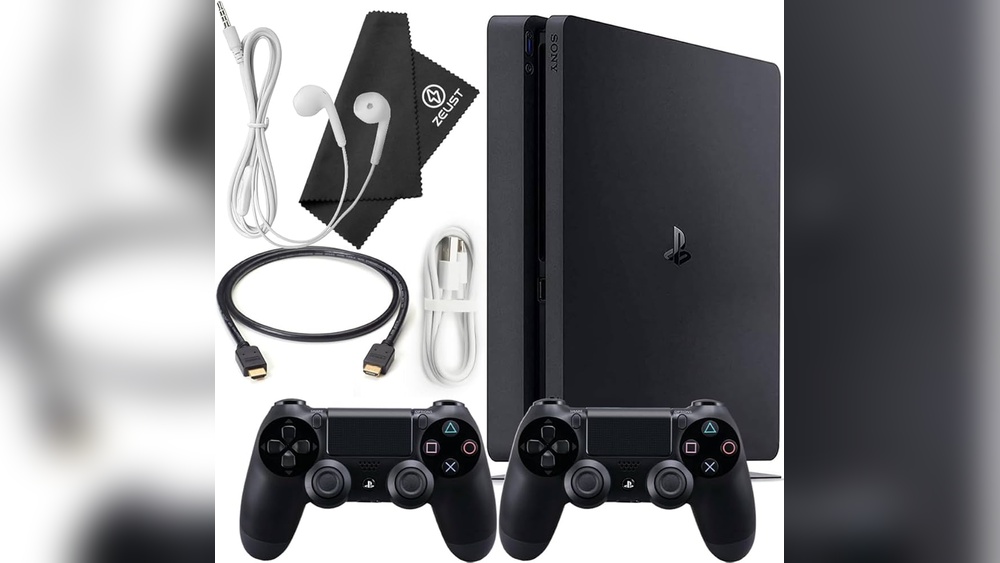
When it comes to gaming, every detail matters—especially the cable connecting your console or PC to your display. You might think all HDMI cables are the same, but that couldn’t be further from the truth.
Choosing the right gaming HDMI cable can make a big difference in your gameplay experience, from smoother graphics to faster response times. So, what features should you look for to get the best performance without wasting money? You’ll discover the key factors that will help you pick the perfect HDMI cable tailored to your gaming needs.
Keep reading to unlock the secrets of flawless gaming visuals and seamless action!
Credit: cie-group.com
Resolution And Refresh Rate
Resolution and refresh rate play a key role in gaming visuals. A good HDMI cable supports the highest resolution your display can handle. It also allows for smooth motion by supporting high refresh rates. These two features ensure sharp images and fluid gameplay.
4k And 8k Support
Modern games often run in 4K resolution for clear, detailed images. Some setups even support 8K for ultra-high definition. Choose an HDMI cable rated for 4K or 8K to avoid blurry or distorted pictures. HDMI 2.1 cables usually handle these resolutions with ease.
High Refresh Rates
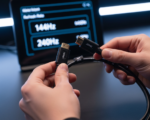
Refresh rate is how many times the screen updates per second. Higher rates like 120Hz or 144Hz deliver smoother motion. A cable must support enough bandwidth to handle these rates at high resolutions. This reduces motion blur and improves gameplay responsiveness.
Variable Refresh Rate (vrr)
VRR technology syncs the display refresh rate with the game’s frame rate. This prevents screen tearing and stuttering. HDMI cables compatible with VRR enhance gaming comfort and visual quality. Look for cables that support VRR if your device and display offer this feature.
Hdmi Versions
Choosing the right HDMI cable involves understanding HDMI versions. Each version supports different features and performance levels. Knowing these differences helps you pick a cable that matches your gaming setup. The most common versions today are HDMI 2.0 and HDMI 2.1. Both support high-definition video and audio but vary in speed and capabilities.
Differences Between Hdmi 2.0 And 2.1
HDMI 2.0 supports 4K resolution at 60Hz. It handles bandwidth up to 18 Gbps. This is enough for most gaming consoles and TVs.
HDMI 2.1 supports higher resolutions, up to 10K, and refresh rates up to 120Hz. It offers bandwidth up to 48 Gbps. This allows smoother gameplay and better graphics on compatible devices.
HDMI 2.1 also adds features like Variable Refresh Rate (VRR) and Auto Low Latency Mode (ALLM). These reduce screen tearing and input lag, improving gaming performance.
Benefits Of Latest Versions
The latest HDMI versions provide better image quality and faster data transfer. They support advanced features like Dynamic HDR, enhancing color and contrast.
New versions improve audio formats, giving richer sound for games and movies. They also handle higher frame rates, which benefit fast-paced games.
Using a cable with the latest HDMI version future-proofs your setup. It ensures compatibility with new consoles, TVs, and monitors. This means better gaming experience and longer cable usefulness.
Bandwidth And Data Transfer
Bandwidth and data transfer are crucial in a gaming HDMI cable. They determine how fast and how much data can move from your console or PC to the display. A cable with high bandwidth supports higher resolutions and faster refresh rates. This leads to clearer images and smoother gameplay. Choosing the right bandwidth ensures your gaming setup performs at its best.
Maximum Bandwidth Needs
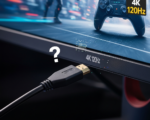
Gaming demands high bandwidth for sharp visuals and quick updates. For 1080p gaming at 60Hz, a cable with 10.2 Gbps bandwidth is enough. For 4K gaming at 60Hz, look for at least 18 Gbps. If you want 4K at 120Hz or 8K, choose a cable supporting 48 Gbps, like HDMI 2.1. Higher bandwidth handles more data, reducing lag and image issues.
Impact On Gaming Performance
Higher bandwidth reduces input lag and screen tearing. It lets your display show more frames per second. Fast data transfer means less delay between your controller and the screen. This improves reaction times in fast-paced games. Low bandwidth cables may cause blurry images or dropped frames. A good cable keeps gameplay smooth and responsive.
Cable Length And Signal Quality
Cable length and signal quality play a vital role in choosing a gaming HDMI cable. Both factors impact the video and audio performance during gameplay. A cable that is too long may weaken the signal. This leads to lower image quality and lag. On the other hand, a cable that is too short limits your setup options. Understanding the balance between length and signal strength helps you pick the best cable for gaming.
Optimal Length For Gaming
Choosing the right cable length matters. A cable between 3 to 6 feet suits most gaming setups. It offers good flexibility and strong signal quality. Longer cables can cause signal loss, affecting picture and sound. If your gaming station is far from the display, select a cable no longer than 15 feet. Longer runs may require special cables to maintain quality. Avoid excessive length to prevent lag and flickering.
Active Vs Passive Cables
Active HDMI cables contain a built-in chip. This chip boosts the signal for long distances. Active cables work well beyond 15 feet, keeping image and sound clear. Passive cables have no signal boost. They are best for short lengths under 10 feet. Passive cables are cheaper but lose quality over distance. Choose active cables if you need a longer reach without losing performance.
Build Quality And Durability
Build quality and durability play a vital role in choosing a gaming HDMI cable. A well-built cable ensures stable performance over time. It also protects the cable from wear and tear during regular use. Quality materials and smart design prevent signal loss and damage. This section highlights key features that matter for lasting durability and reliable gaming.
Braided Jackets And Flexibility
Braided jackets add a strong protective layer to the cable. They guard against cuts, scratches, and everyday bending. Braided cables last longer than those with regular plastic covers. Flexibility is essential for easy cable management. A flexible braided jacket allows the cable to bend without breaking. It helps keep your gaming setup neat and prevents internal wire damage.
Connector Materials
Connectors must resist corrosion and maintain a solid connection. Gold-plated connectors are popular for gaming HDMI cables. Gold resists rust and improves signal transfer. Strong metal connectors also prevent loose connections. A tight fit reduces interference and signal drops. Look for connectors that feel sturdy and fit snugly into your devices.
Tangle Resistance
Tangled cables cause frustration and can damage internal wires. Some gaming HDMI cables feature designs that resist tangling. Braided jackets and flat cable designs help prevent knots. Tangle-resistant cables save time and keep your setup organized. They also reduce wear caused by constant untangling. Choose cables that stay smooth and easy to handle.
Audio Support
Audio support is a crucial feature in a gaming HDMI cable. It affects sound quality and overall gaming immersion. A cable with strong audio capabilities delivers clear, rich sound. This enhances game atmosphere and communication with teammates. Audio features in HDMI cables help connect your gaming console to sound systems efficiently. Choosing the right cable ensures you enjoy every sound detail without distortion or lag.
Enhanced Audio Return Channel (earc)
eARC allows high-quality audio signals to flow both ways. It supports formats like Dolby Atmos and DTS:X. This means you get cinema-quality sound from your TV to a soundbar or receiver. A gaming HDMI cable with eARC ensures seamless audio transfer. It reduces audio delay, keeping sound synced with game action. eARC also supports higher bandwidth for better sound clarity.
Surround Sound Compatibility
Surround sound creates an immersive audio environment in games. It lets you hear sounds from all directions clearly. Look for an HDMI cable that supports multi-channel audio formats. These include 5.1 and 7.1 channel surround sound. Such cables transmit audio signals without losing quality. Good surround sound compatibility improves your reaction time in fast games. It makes gaming more realistic and exciting.
Compatibility With Devices
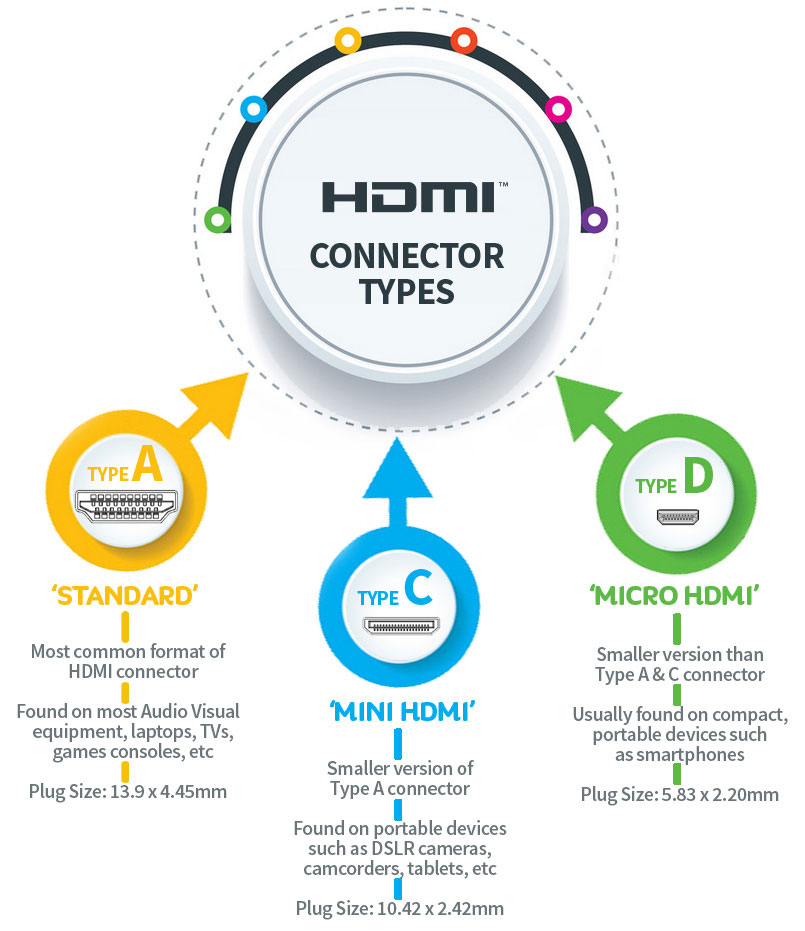
Choosing a gaming HDMI cable means checking if it fits your devices. Compatibility matters for smooth video and audio signals. A cable that works well with your console, PC, or VR headset ensures the best gaming experience. Let’s see what to consider for different devices.
Console Compatibility
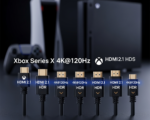
Most modern gaming consoles use HDMI for video and audio output. Ensure the cable supports the console’s HDMI version. For example, Xbox Series X and PlayStation 5 need HDMI 2.1 cables. These cables handle 4K resolution at 120Hz refresh rates. Older consoles like PlayStation 4 work well with HDMI 2.0 cables. Using the right cable avoids lag and signal issues.
Check cable length too. A cable too long may weaken the signal. A good quality cable with strong shielding helps keep the connection stable. Also, make sure the connectors fit snugly in the console ports.
Pc And Vr Integration
PC gamers need cables that support their graphics card output. Many high-end graphics cards use HDMI 2.0 or 2.1 for high refresh rates and resolutions. VR headsets often require HDMI cables with high bandwidth. This allows smooth, immersive experiences without motion sickness.
Check your PC or VR headset specifications before buying. Some setups work better with DisplayPort, but HDMI remains common. Ensure the cable supports the highest resolution and refresh rate your setup can output. This avoids screen tearing and lag.

Credit: stores.horiusa.com
Additional Features
Additional features in a gaming HDMI cable can enhance your gaming experience. These extras improve picture quality, reduce lag, and ensure reliable performance. Choosing cables with these features can make a noticeable difference.
Not all cables offer the same level of support for advanced gaming needs. Some features target color accuracy, speed, and certification standards. These help deliver smoother gameplay and richer visuals.
Hdr And Dynamic Color
HDR stands for High Dynamic Range. It boosts brightness and contrast in games. This makes colors look more vibrant and details clearer. Dynamic color support adjusts colors frame-by-frame for the best image quality. A cable that supports HDR and dynamic color helps games look more lifelike and immersive.
Low Latency Modes
Low latency means less delay between your controller and the screen. This is key for fast-paced games. Some HDMI cables support special low latency modes to reduce input lag. These modes help keep gameplay smooth and responsive. Choose a cable that supports low latency for a competitive edge.
Certification And Testing
Certified cables meet industry standards for performance and reliability. Testing ensures they deliver the speeds and features promised. Look for cables with official certification labels. These cables are less likely to cause signal problems or dropouts. Certification gives confidence that the cable works well with gaming devices.
Price Vs Performance
Choosing a gaming HDMI cable involves balancing price and performance. Some cables offer great quality at low prices. Others cost more but provide advanced features. Knowing when to spend extra helps get the best gaming experience without wasting money.
Budget Options
Budget HDMI cables can support most gaming needs. Many affordable cables handle 1080p and 60Hz without issues. They often use standard materials but still deliver stable signals. For casual gamers or short cable runs, budget options work well.
These cables usually support HDMI 2.0, enough for Full HD or 1440p gaming. They may not support the highest refresh rates or 4K at 120Hz. But they maintain clear picture and sound for most games.
When To Invest In Premium Cables
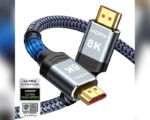
Premium HDMI cables suit gamers with high-end setups. Look for these if you use 4K at 120Hz or 8K displays. These cables support HDMI 2.1 features like higher bandwidth and eARC audio.
They use better materials, like braided jackets and gold-plated connectors. This improves durability and signal quality over long distances. Premium cables reduce input lag and support advanced HDR formats.
Invest in premium cables for VR, competitive gaming, or large TV setups. They ensure smooth, sharp visuals and crisp sound without interference.
Brand Reputation And Warranty
Brand reputation and warranty are key when choosing a gaming HDMI cable. A trusted brand often means better quality and reliability. Warranty offers peace of mind in case the cable fails or has defects. Both factors help ensure a smooth gaming experience without interruptions.
Trusted Manufacturers
Choose cables from well-known manufacturers. These brands usually follow strict quality controls. Their products often deliver stable signals and durability. Popular brands invest in research to support new gaming technologies. This reduces risks of lag or signal loss during gameplay.
Warranty And Customer Support
Look for cables with clear warranty terms. A good warranty covers defects and performance issues. It shows the manufacturer’s confidence in their product. Reliable customer support can help solve problems quickly. This saves time and frustration if issues arise. Always keep proof of purchase to claim warranty easily.

Credit: www.amazon.com
Frequently Asked Questions
What Kind Of Hdmi Cable Do I Need For Gaming?
Choose an HDMI 2. 1 cable for gaming to support 4K at 120Hz or 8K resolution. Ensure it is High-Speed and certified. Select a durable cable with gold-plated connectors for reliable performance and minimal signal loss during long sessions.
What To Look Out For When Buying Hdmi Cable?
Check HDMI version for your device’s resolution and refresh rate. Choose certified High-Speed cables for longer lengths. Look for durable braided jackets and gold-plated connectors. Consider active cables for long distances. Ensure support for features like HDR and eARC for better video and audio quality.
Is Hdmi 2.1 Or 2.2 Better?
HDMI 2. 1 offers higher bandwidth and supports 4K at 120Hz and 8K at 60Hz. HDMI 2. 2 mainly refers to HDCP 2. 2 copy protection. For performance, HDMI 2. 1 is better.
Is Hdmi 1.4 Or 2.0 Better For Gaming?
HDMI 2. 0 is better for gaming due to higher bandwidth, supporting 4K at 60Hz and improved HDR. HDMI 1. 4 limits resolution and refresh rates.
Conclusion
Choosing the right gaming HDMI cable improves your gaming experience. Focus on cable version, length, and build quality. Ensure it supports high resolution and fast refresh rates. Durable materials and good connectors keep the signal strong. Remember, the best cable matches your device’s needs.
This helps avoid lag and image problems. A well-chosen cable brings smooth gameplay and clear visuals. Keep it simple, and enjoy your games without interruptions.


[…] Click here : What Features Should I Look for in a Gaming HDMI Cable? […]